

Hotels with free cancellation
Start saving instantly on thousands of hotels worldwide with Member Prices*
Shop Deals Now
Free cancellation options if plans change

Earn rewards on every night you stay

Save more with Member Prices
A guide to booking a hotel with free cancellation*
Plans can change unexpectedly, sometimes at the last minute, which is why it's important to keep your hotel booking as flexible as possible. If you have to call off your trip, you don't want to worry about hotel cancellation fees. Luckily, it's easy to find refundable hotel bookings in 2026 so you won't lose out if you cancel your trip.
What does free cancellation mean for hotels?
Many properties listed on Hotels.com offer flexible booking options with free cancellation. This means that you can usually get your money back provided you cancel before a certain date—look at the booking conditions to find out when this is. Often, it's 24–48 hours before your arrival, but double check to make sure. Cancellation fees may be applicable in some instances, so always read the booking terms before you make your reservation.
Showing deals for:25 Dec - 27 Dec
Image gallery for voco The Clair Cincinnati Downtown by IHG
 voco The Clair Cincinnati Downtown by IHG9.2 out of 10, Wonderful, (1,423 reviews)Wonderful(1,423 reviews)
voco The Clair Cincinnati Downtown by IHG
Cincinnati
Member Price availablePrice is £241for 2 nights, 1 room£120 per nightincludes taxes & feesImage gallery for Brookside Lodge
 Brookside Lodge8.6 out of 10, Excellent, (2,316 reviews)Excellent(2,316 reviews)
Brookside Lodge
Gatlinburg
Member Price availablePrice is £382for 2 nights, 1 room£191 per nightincludes taxes & feesImage gallery for Creekstone Inn
 VIP AccessCreekstone Inn9.0 out of 10, Wonderful, (3,158 reviews)Wonderful(3,158 reviews)
Creekstone Inn
Pigeon Forge
Member Price availablePrice is £229for 2 nights, 1 room£114 per nightincludes taxes & feesImage gallery for Virgin Hotel Las Vegas, Curio Collection by Hilton
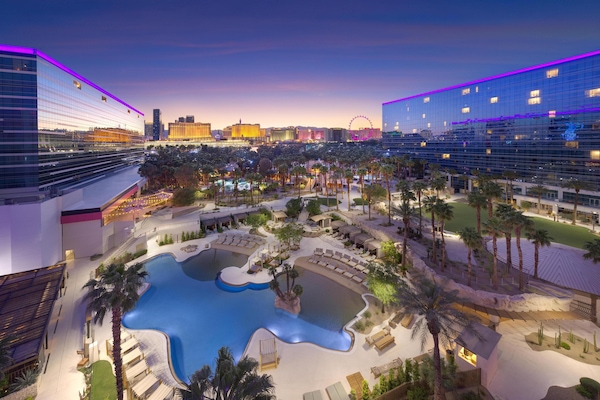 Virgin Hotel Las Vegas, Curio Collection by Hilton9.0 out of 10, Wonderful, (9,011 reviews)Wonderful(9,011 reviews)
Virgin Hotel Las Vegas, Curio Collection by Hilton
Las Vegas
Member Price availablePrice is £287for 2 nights, 1 room£143 per nightincludes taxes & feesImage gallery for Hilton Grand Vacations Club on the Las Vegas Strip
 VIP AccessHilton Grand Vacations Club on the Las Vegas Strip9.0 out of 10, Wonderful, (9,671 reviews)Wonderful(9,671 reviews)
Hilton Grand Vacations Club on the Las Vegas Strip
Las Vegas
Member Price availablePrice is £354for 2 nights, 1 room£177 per nightincludes taxes & feesImage gallery for Bluegreen Downtown Nashville
 Bluegreen Downtown Nashville9.0 out of 10, Wonderful, (592 reviews)Wonderful(592 reviews)
Bluegreen Downtown Nashville
Nashville
Member Price availablePrice is £222for 2 nights, 1 room£111 per nightincludes taxes & feesImage gallery for Bode Nashville
 VIP AccessBode Nashville9.2 out of 10, Wonderful, (1,228 reviews)Wonderful(1,228 reviews)
Bode Nashville
Nashville
Member Price availablePrice is £292for 2 nights, 1 room£146 per nightincludes taxes & feesImage gallery for Spark by Hilton Sarasota Siesta Key Gateway
 Spark by Hilton Sarasota Siesta Key Gateway8.2 out of 10, Very good, (2,499 reviews)Very good(2,499 reviews)
Spark by Hilton Sarasota Siesta Key Gateway
Sarasota
Member Price availablePrice is £336for 2 nights, 1 room£168 per nightincludes taxes & feesImage gallery for Oleo Cancun Playa All Inclusive Resort
 VIP AccessOleo Cancun Playa All Inclusive Resort8.4 out of 10, Very good, (2,583 reviews)Very good(2,583 reviews)
Oleo Cancun Playa All Inclusive Resort
Cancun
Member Price availablePrice is £745for 2 nights, 1 room£373 per nightincludes taxes & feesImage gallery for Temptation Cancun Resort All Inclusive - Adults Only
 VIP AccessTemptation Cancun Resort All Inclusive - Adults Only9.0 out of 10, Wonderful, (5,372 reviews)Wonderful(5,372 reviews)
Temptation Cancun Resort All Inclusive - Adults Only
Cancun
Member Price availablePrice is £872for 2 nights, 1 room£436 per nightincludes taxes & feesImage gallery for Wyndham Grand Cancun All Inclusive Resort & Villas
 VIP AccessWyndham Grand Cancun All Inclusive Resort & Villas8.4 out of 10, Very good, (3,487 reviews)Very good(3,487 reviews)
Wyndham Grand Cancun All Inclusive Resort & Villas
Cancun
Member Price availablePrice is £1,350for 2 nights, 1 room£675 per nightincludes taxes & feesImage gallery for Garza Blanca Resort & Spa Cancun - All Inclusive
 VIP AccessGarza Blanca Resort & Spa Cancun - All Inclusive9.0 out of 10, Wonderful, (1,068 reviews)Wonderful(1,068 reviews)
Garza Blanca Resort & Spa Cancun - All Inclusive
Punta Sam
Member Price availablePrice is £2,040for 2 nights, 1 room£1,020 per nightincludes taxes & feesImage gallery for Villa del Palmar Cancun All Inclusive Beach Resort & Spa
 VIP AccessVilla del Palmar Cancun All Inclusive Beach Resort & Spa9.0 out of 10, Wonderful, (1,544 reviews)Wonderful(1,544 reviews)
Villa del Palmar Cancun All Inclusive Beach Resort & Spa
Punta Sam
Member Price availablePrice is £1,227for 2 nights, 1 room£613 per nightincludes taxes & feesImage gallery for GR Solaris Cancun & Spa - All Inclusive
 VIP AccessGR Solaris Cancun & Spa - All Inclusive8.0 out of 10, Very good, (5,293 reviews)Very good(5,293 reviews)
GR Solaris Cancun & Spa - All Inclusive
Cancun
Member Price availablePrice is £737for 2 nights, 1 room£369 per nightincludes taxes & feesImage gallery for Hotel Kilbourne Downtown Sandusky
 VIP AccessHotel Kilbourne Downtown Sandusky9.0 out of 10, Wonderful, (758 reviews)Wonderful(758 reviews)
Hotel Kilbourne Downtown Sandusky
Sandusky
Member Price availablePrice is £312for 2 nights, 1 room£156 per nightincludes taxes & feesImage gallery for Travel Inn Delaware
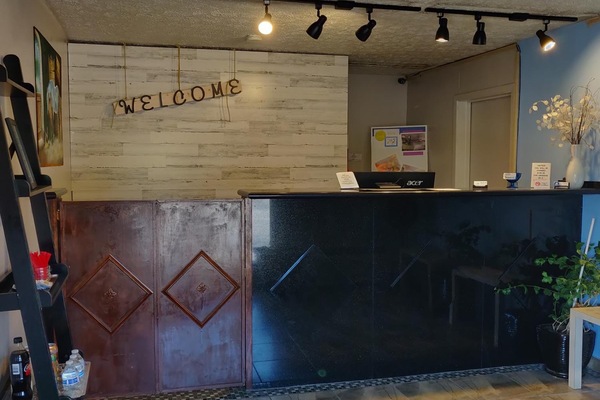 Travel Inn Delaware8.0 out of 10, Very good, (133 reviews)Very good(133 reviews)
Travel Inn Delaware
Delaware
Member Price availablePrice is £119for 2 nights, 1 room£59 per nightincludes taxes & fees

One Key members earn rewards across Expedia, Hotels.com, and Vrbo
Frequently asked questions about free cancellation
How can you book a hotel with free cancellation?
Using the handy filters on Hotels.com, it's easy to book a hotel with free cancellation. Whether you're booking a stay at one of our best hotels in Amsterdam, or treating the family to an unforgettable weekend in Edinburgh, you need to know that you're covered if plans change. On Hotels.com you can select the “Fully refundable property” filter under “Property cancellation options” to find places that you can cancel without penalty.
Do hotels offer free cancellation
Some properties on Hotels.com offer free hotel cancellation in 2026 to help you remain flexible. This does depend on your booking type and the hotel's cancellation policy, so always check the small print before making your reservation. In many instances, you will be able to cancel your booking—even at the last minute—without incurring a charge.
Do you get a refund when you book a free cancellation hotel?
Whether you're reserving a room at a beach hotel in Barcelona or a historic hotel in Paris, there are a range of hotels with free cancellation—meaning that you'll normally get a refund of the booking fee if your plans change. Remember to read the hotels' cancellation policy to make sure your circumstance complies, as certain hotels could charge a fee for late cancellations.
How can you cancel your hotel for free?
There are lots of reasons for cancelling your hotel booking, and the last thing you need to worry about is paying for a hotel stay that you can't use. The good news is that free cancellation means you won't be out of pocket. You just need to read the hotel's cancellation policy, which will explain their cancellation terms, the cancellation process and your right to cancel your hotel booking. You may need to cancel within a set timeframe to get a full refund, and some hotels might charge a cancellation fee, too.
Why book a hotel with free cancellation on Hotels.com
Hotels.com makes it easy to find your perfect stay with a wide range hotels. Not only do the properties offer great value, but there are a number of hotels with free cancellation—meaning that you might not have to pay a thing if your plans change. Using Hotels.com means you have an extensive selection of accommodations to choose from, get rewarded for loyalty, and you can enjoy ultimate flexibility.
*Some hotels require you to cancel more than 24 hours before check-in. See site for details.
Terms and conditions
Deals on participating properties only. Please click through to individual deals to confirm prices, availability and applicable terms and conditions for these deals. Minimum night stay may be required. Offers vary by property. Rooms and prices are subject to availability. Additional restrictions and blackout dates may apply. Subject to full terms and conditions.Opens in a new window